
SEOLocal SEO · 2026 Guide15 min read
Google Business Profile Optimization in 2026: 15 Ways to Get More Local Customers
Fifteen steps to a Business Profile that's accurate, complete and trusted, with Google's documented rules kept separate from industry opinion.
The Social Stellor Studio · Creative Team
Last verified November 12, 2026 against Google's Business Profile Help, Search Central and Analytics Help pages. Sources are listed at the end.

In this guide
 Google Business Profile
 Google Maps
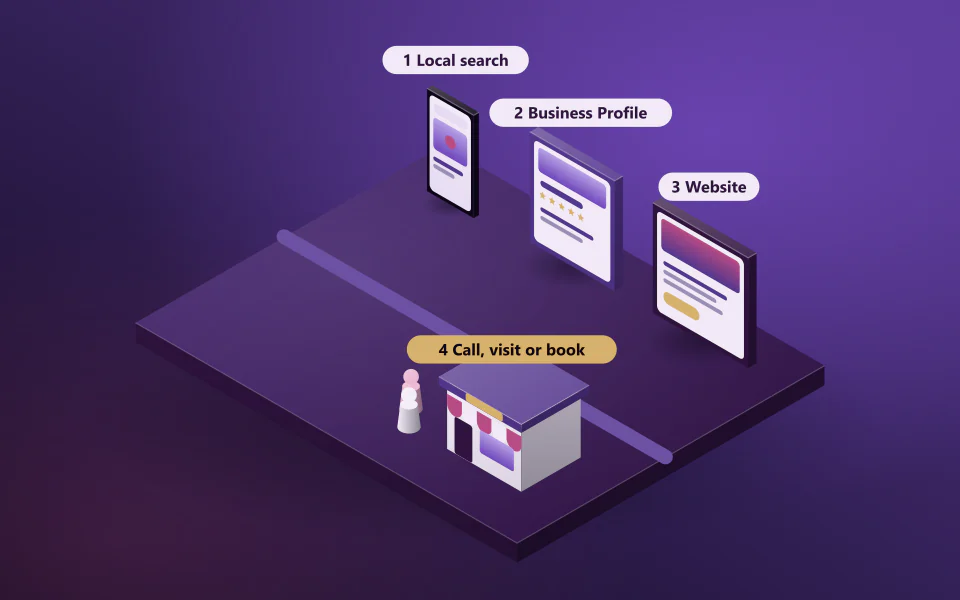
A homeowner's water heater fails on a Sunday evening. They search "emergency plumber near me", look at three businesses on the map, and call the one whose profile shows it's open, has recent reviews that mention emergency jobs, and lists water heaters as a service. They never visit a website. The other two plumbers may be just as good. Their profiles simply didn't answer the question.
That's what Google Business Profile optimization is really about: making sure the profile people see on Google Search and Maps is accurate, complete and convincing enough to earn the call, the visit or the booking. Some of that helps Google show you more often. Most of it helps the people who already see you choose you.
This guide gives you 15 practical steps, written for US businesses, and keeps two things apart throughout: what Google actually documents, and what is expert opinion or industry observation. You'll also get a 30-day plan, a simple way to measure results and a checklist.
- Google says local results are based on relevance, distance and prominence, and that you can't pay for a better local ranking.
- Google documents only a few things that help ranking: complete info, verification, accurate hours, links to your business, and more reviews and positive ratings.
- Many steps matter mainly because they win customers, not because they move rankings. That's still worth doing.
- Never add keywords to your business name, buy reviews or offer rewards for them. These break Google's rules and can get your reviews restricted.
What Google Business Profile Optimization Actually Means
Your Business Profile is the panel that appears in Google Search and on Google Maps when someone looks for your business or what you do. It shows your name, location or service area, hours, phone number, reviews, photos and the buttons customers tap to call, get directions or visit your website.
Optimizing it means four things, in this order: control the profile, make every detail accurate, fill in what customers need to decide, and keep it current. It does not mean gaming Google. Most of the shortcuts sold as "GBP hacks" either break Google's guidelines or have no published evidence behind them.
Each step below says what it mainly affects. We use four plain labels: visibility (Google documents a link to local ranking), completeness (Google asks for it and says complete profiles are more likely to show), trust (it helps customers believe you) and conversion (it makes it easier for them to act).
| Step | Mainly affects |
|---|---|
| 1. Claim and verify | Visibility (documented), control |
| 2. Choose categories | Completeness, relevance |
| 3. Use your real business name | Policy compliance, trust |
| 4. Set your address or service area | Policy compliance, relevance |
| 5. Keep phone, website and hours right | Visibility (hours documented), conversion |
| 6. Write a useful description | Completeness, trust |
| 7. Add services and products | Completeness, relevance |
| 8. Add attributes and contact options | Completeness, conversion |
| 9. Upload real photos | Trust, conversion |
| 10. Build a steady review habit | Visibility (documented), trust |
| 11. Reply to reviews | Trust |
| 12. Use posts and offers | Trust, conversion |
| 13. Strengthen your website | Prominence (links documented), conversion |
| 14. Measure customer actions | Decisions |
| 15. Maintain it monthly | Accuracy, control |
- Mainly affects
- Visibility (documented), control
- Mainly affects
- Completeness, relevance
- Mainly affects
- Policy compliance, trust
- Mainly affects
- Policy compliance, relevance
- Mainly affects
- Visibility (hours documented), conversion
- Mainly affects
- Completeness, trust
- Mainly affects
- Completeness, relevance
- Mainly affects
- Completeness, conversion
- Mainly affects
- Trust, conversion
- Mainly affects
- Visibility (documented), trust
- Mainly affects
- Trust
- Mainly affects
- Trust, conversion
- Mainly affects
- Prominence (links documented), conversion
- Mainly affects
- Decisions
- Mainly affects
- Accuracy, control
How Google Decides Who Shows Up Locally
Google's local ranking help page (opens in new tab) names three factors. Relevance is how well a profile matches what someone searches for. Distance is how far the business is from the searcher, or from the location named in the search. Prominence is how well known the business is, which Google says draws on things like how many websites link to you and how many reviews you have. It adds that "more reviews and positive ratings can help your business's local ranking."
The same page is clear on what you can't do: there is "no way to request or pay for a better local ranking." Google Ads can put a business in sponsored placements, but that's advertising, not the organic map results.
Distance changes with every search.
- Where the customer is
- The area they search in
Earned over time, not set in a form.
- Reviews and ratings
- Links and mentions
Supports the profile and converts visits.
- Location and service pages
- Matching details
Accurate, complete, current.
- Categories and services
- Hours and contact details
- Photos and description
If your business doesn't appear at all, even for its own name, that's a different problem from ranking lower than competitors. Our guide to why a business isn't showing up on Google Maps covers that troubleshooting. This guide assumes your profile exists and you want it to work harder.
Foundations: Get Control and Get the Facts Right
1. Claim and verify your Business Profile
Verification proves to Google that you're allowed to manage the business. Google's local ranking page says it makes the business "more likely to show up in search results", which makes this the one step with a direct, documented visibility benefit. Google chooses which verification methods (opens in new tab) you're offered, which can include a video recording, phone or text, email, a live video call or a postcard, and you can't change the options.
- Google says verification reviews can take up to 5 business days, rarely longer.
- If you verify by postcard, don't edit your name, address or category while you wait, or the code won't work. Codes expire after 30 days.
- Make sure the business owns the profile through an account it controls, not a former employee's or a past agency's personal login. Add others as managers instead.
2. Choose accurate primary and secondary categories
Categories tell Google what your business is. Google's guidelines (opens in new tab) say to use "as few categories as possible" to describe your core business, and to choose ones that are "as specific as possible, but representative of your main business." Your primary category should describe what you are ("Plumber"), not everything you sell. Add secondary categories only for genuine core lines of business, and use services (step 7) for the rest.
3. Use your real-world business name
Google says your name should reflect your real-world name, as used consistently on your storefront, website and stationery. Its examples reject marketing taglines, service details, location details, store codes and phone numbers in the name. In practice, "Lakeside Dental" is fine. "Lakeside Dental | Best Emergency Dentist Austin" is not, unless that's genuinely your registered, signed business name.
Adding keywords to your name is one of the most common shortcuts, and it breaks Google's guidelines (opens in new tab). Anyone can suggest a correction to your name on Google, and policy violations can lead to suspension (opens in new tab). If your real name already includes a service word, that's allowed. Inventing one isn't.
4. Set your address or service area correctly
If customers visit you, show your exact address. If you travel to customers and don't serve them at your address, Google's service area page (opens in new tab) says to remove the address and list your service area instead. You can add up to 20 areas, and the overall area shouldn't extend beyond about 2 hours' driving from your base. Virtual offices aren't eligible, and P.O. boxes aren't acceptable addresses.
5. Keep your phone, website and hours accurate
Google's guidelines ask for a local number you control rather than a central call center where possible, and a website that represents your specific location. Google's ranking page lists accurate hours, including special hours, among the things that help. Wrong hours also cost you directly: a customer who arrives at a locked door may not give you a second chance.
Set special hours for every public holiday, even ones where you're open as usual. Our Google Business Profile holiday checklist walks through Thanksgiving, Black Friday and New Year in detail.
Relevance: Show What You Do and Who It's For
6. Write a useful business description
Google's editing page (opens in new tab) sets the rules: up to 750 characters, no links or HTML, and a focus on the business itself rather than promotions, prices or sales. Say what you do, who you serve, where you work and what makes you different, in plain sentences. Google doesn't say the description affects ranking, so write it for customers. Lists of keywords help neither of you.
A hypothetical example for a plumbing company: "Family-owned plumbing company serving Plano and north Dallas since 2009. We repair and replace water heaters, clear drains, fix leaks and handle repiping for homes and small businesses. Licensed, insured and available for emergency calls seven days a week."
7. Add relevant services and products
Services let you list the specific jobs behind your category. Google's services page (opens in new tab) says you can pick from suggestions for your business type or add custom ones, with optional descriptions and prices. Custom services that break policy are rejected, and prices or phone numbers don't belong in service names. The products editor has limited availability and varies by business type, so use it if you see it.
Be complete but honest. If you don't install solar panels, don't list it to catch searches. Customers who call for something you don't do waste your time and may leave a frustrated review.
8. Add attributes and the right contact options
Attributes describe details such as accessibility, payment options or whether you offer online appointments. Which attributes you can choose varies by business type. Fill in the ones that are true. Then decide how customers should reach you: calls, a booking link, or chat where Google offers it. Only switch on channels someone actually answers.
9. Upload authentic, high-quality photos
Google's photo guidance (opens in new tab) accepts JPG or PNG files between 10 KB and 5 MB, at least 250 × 250 pixels and ideally 720 × 720. Photos should be in focus, well lit and "represent reality", without significant alterations or heavy filters. Add a logo, a cover photo, your exterior (so people recognize the building), your interior, your team and real examples of your work.
Google says photos make your profile more attractive to customers. It doesn't say they improve ranking, so treat photo counts and upload frequency claims you see online as unproven. Real photos still matter: they're often what persuades someone to choose you over the business next to you on the map.
Trust: Reviews and Updates
10. Build a consistent, policy-compliant review strategy
Reviews are one of the few factors Google explicitly connects to local ranking. Its review tips (opens in new tab) suggest sharing a review link or QR code. The Maps contribution policy (opens in new tab) sets three hard limits that apply to every business:
- No incentives. Discounts, free goods or services, or payment in exchange for a review, a changed review or a removed review are prohibited.
- No review gating. You can't discourage negative reviews or ask only the customers you expect to be happy.
- No conflicts of interest. Reviews from current or former employees, or from people with a business relationship, aren't allowed.
The penalties are specific. Google's fake engagement page (opens in new tab) says businesses that break these rules can be blocked from receiving new reviews, have existing reviews unpublished, and have a warning shown to customers that fake reviews were removed.
In our view, the habit matters more than a one-off push. Ask every customer, at the same point in the process, with the same link. A steady flow of honest reviews also gives future customers recent experiences to read.
11. Respond thoughtfully to customer reviews
Google's ranking page says replying "shows that you value their feedback." Its review tips recommend short, professional replies without promotions. For negative reviews, protect the reviewer's privacy, apologize where it's warranted, and keep the detail for a private conversation. Remember who you're writing for: the reviewer, and every future customer who reads the exchange.
| Review type | A good reply does this |
|---|---|
| 5-star, detailed | Thanks them by name, mentions the specific job, keeps it brief |
| 5-star, no text | A short, warm thank-you; no copy-pasted script |
| Mixed | Thanks them, acknowledges the issue, says what changed |
| Negative but fair | Apologizes, avoids arguing, offers a direct contact |
| Fake or abusive | Calm, factual reply if any; report it through Google rather than arguing |
- A good reply does this
- Thanks them by name, mentions the specific job, keeps it brief
- A good reply does this
- A short, warm thank-you; no copy-pasted script
- A good reply does this
- Thanks them, acknowledges the issue, says what changed
- A good reply does this
- Apologizes, avoids arguing, offers a direct contact
- A good reply does this
- Calm, factual reply if any; report it through Google rather than arguing
12. Use posts, offers and other profile updates
Google's posts page (opens in new tab) offers three types: updates, offers and events. Posts older than six months are archived unless they have a date range, and a phone number in the post text can get it rejected. Google says posts help customers decide to visit. It doesn't say they affect ranking, so post when you have something useful to say: a seasonal service, an event, new hours, a genuine offer.
Many guides still tell you to "seed" your profile's Q&A section with your own questions. Search Engine Roundtable reported on December 15, 2025 (opens in new tab) that Google confirmed it was removing Q&A from Google Maps in favor of an AI-powered Ask feature that answers from your profile and reviews. BrightLocal reported (opens in new tab) that, as of March 2026, Ask Maps was available only in the US and India on Android and iOS, and not for every category. Neither is Google documentation, but both point to the same advice: put the answers in your profile, services and website, where Google can find them.
Beyond the Profile: Website, Measurement and Maintenance

13. Improve your website's local relevance and usability
Your profile and your website do different jobs. The profile gets you seen and gives a quick answer. The website answers the bigger questions: what exactly you do, what it costs, whether you work in a particular area, and why to trust you. Google says prominence draws partly on the websites that link to your business, and a strong website is what earns those links and mentions.
- Use the same business name, address or service area, phone number and hours on your website as on your profile.
- Give each main service its own page, and write about the areas you serve without creating thin copies of the same page for each town.
- Link your profile to the most relevant page. For a multi-location business, that's usually the location page, not the home page.
- Make the page fast on a phone, with a visible phone number and a clear way to book or ask for a quote.
You can also add LocalBusiness structured data (opens in new tab) to describe your hours, address and departments. Google's documentation says it can help Google understand your business but doesn't guarantee any search feature, and it doesn't connect it to Maps ranking. Use it to describe what's true, never to mark up reviews you didn't collect yourself.
If your website is the weak link, our guides on why a website isn't showing up on Google and website traffic that doesn't turn into customers go further.
14. Measure performance and customer actions
Open Performance on your profile. Google's performance page (opens in new tab) lists metrics including interactions, views, searches, calls, directions, website clicks, messages and bookings, and shows only the ones that apply to your business. Know what each one counts before you compare months:
| Metric | What Google counts | Use it to judge |
|---|---|---|
| Calls | Taps on the call button (needs a phone number) | Demand from people ready to act |
| Directions | Direction requests, adjusted for repeats and spam | Visits for storefront businesses |
| Website clicks | Clicks on your website link | Whether your website gets the chance to convert |
| Messages and bookings | Conversations, and bookings through a provider | Whether those channels earn their upkeep |
| Views | Unique viewers, counted once a day | Reach; not a goal by itself |
| Searches | Terms people used; updated monthly, up to 5 days late | Whether you appear for services, not only your name |
- What Google counts
- Taps on the call button (needs a phone number)
- Use it to judge
- Demand from people ready to act
- What Google counts
- Direction requests, adjusted for repeats and spam
- Use it to judge
- Visits for storefront businesses
- What Google counts
- Clicks on your website link
- Use it to judge
- Whether your website gets the chance to convert
- What Google counts
- Conversations, and bookings through a provider
- Use it to judge
- Whether those channels earn their upkeep
- What Google counts
- Unique viewers, counted once a day
- Use it to judge
- Reach; not a goal by itself
- What Google counts
- Terms people used; updated monthly, up to 5 days late
- Use it to judge
- Whether you appear for services, not only your name
- Note calls, directions and website clicks on the first of each month.
- Compare with the same month last year, not just last month. Many local businesses are seasonal.
- Check the Searches list. If almost every term is your business name, relevance (steps 2, 6 and 7) is the place to work.
- Add UTM tags to your profile's website link, as Google's Analytics URL builder guide (opens in new tab) describes, so profile visits show separately in Google Analytics.
- Count real outcomes too: booked jobs, tables and appointments that came from Google. A profile that brings calls but no customers points to pricing, follow-up or your website, not to the profile.
Google now lets owners connect a Business Profile to Google Analytics (opens in new tab) to see profile actions next to website data. A newer dashboard, Business Home (opens in new tab), brings profile, review and ad data together, but Google describes it as a closed beta for select categories in the US and UK.
15. Maintain your profile with a monthly routine
Profiles drift. Customers and Google can suggest changes, and Google's updates page (opens in new tab) says you have 4 days to review a suggested edit before it may be published. A short monthly routine catches most problems:
- Check for Google updates and suggested edits (weekly if you can).
- Confirm hours, and add special hours for the next month's holidays.
- Reply to any unanswered reviews.
- Add a few new photos from recent work.
- Tap every button on your profile on your phone: call, website, booking, directions.
- Review who has owner and manager access, and remove people who've left.
- Record the month's calls, directions and website clicks.
Storefront vs. Service-Area Businesses
The rules differ depending on whether customers come to you or you go to them. Hybrid businesses do both: Google says they can show their address and add a service area.
Don't try to look closer to a busy city by listing an address you don't operate from. Google's guidelines say virtual offices aren't eligible, and a service-area business can only use an office that's staffed during business hours.
Multi-Location Businesses
Each location gets one profile, with the same brand name across all of them unless a location genuinely trades under a different name. Businesses with 10 or more locations may be able to use bulk verification (opens in new tab), which Google says isn't available to agencies managing several different businesses in one account. Link each profile to its own location page, and give a named person responsibility for every location's hours, reviews and edits.
Is it a separate, staffed location customers can visit or be served from?
Is it a public-facing practitioner, like a doctor, lawyer or agent?
Do several practitioners work at this location?
Suspension and Policy Risks
Google can suspend profiles that break its guidelines (opens in new tab). The patterns most likely to cause trouble are keywords added to the name, an address you don't staff (including virtual offices), duplicate profiles for one location, and fake or incentivized reviews. If your profile is suspended, don't create a new one. Our Google Maps troubleshooting guide explains Google's appeal process step by step.
Misleading Promises to Watch For
Local SEO attracts big promises. Here's how we sort the claims you'll hear:
Stated in Google's own help pages.
Example: Relevance, distance and prominence; verification, complete info and accurate hours help; more reviews and positive ratings can help ranking; you can't pay for a better local ranking.
Reported by named industry sources, not in Google's documentation.
Example: Public Q&A being replaced by an AI Ask feature, and Ask Maps being limited to some countries and categories.
Reasonable expert opinion with no published proof.
Example: That accurate categories and services improve relevance, or that steady review activity reads better than bursts.
Claims you'll hear that the evidence doesn't support.
Example: Guaranteed #1 in the map pack, a set number of posts or photos per week that boosts rankings, or ranking boosts from keyword-heavy descriptions.
Be wary of anyone who guarantees a map ranking, sells reviews, offers to "fix" your name with keywords, or wants to own your profile on their account. Google says you can't pay for a better local ranking, and your business should always remain the owner of its own profile.
What to Prioritize, by Industry
The steps are the same for everyone, but the order changes. These examples are hypothetical:
Home services
Service area, services list, callsA roofer hides their address, lists the towns they cover, adds each repair type as a service and tracks calls.
Restaurants
Hours, menu, photosA taqueria keeps holiday hours and menu current, shows real dishes and replies to reviews within a few days.
Professional services
Categories, practitionersA law firm checks each attorney's profile against Google's practitioner rules and links each one to the right page.
Clinics and salons
Booking link, attributesA dental practice tests its booking link monthly and lists accessibility and payment options accurately.
How the Profile, Local SEO and Your Website Work Together
Think of it as a chain. Your Business Profile earns the visibility and the first click. Local SEO, meaning your website, its content and the links and mentions it earns, builds the prominence and relevance behind that visibility. Conversion work makes sure the calls and visits turn into customers. A great profile can't fix a website that doesn't load on a phone, and a great website won't help much if the profile shows the wrong hours.
The same accurate details also feed AI-powered answers. Our guide on why a business might not appear in AI search explains how. And if you're deciding between organic and paid local visibility, see SEO vs. Google Ads for small businesses.
Common Google Business Profile Mistakes
| Mistake | Why it causes trouble | Better approach |
|---|---|---|
| Profile owned by an agency or ex-employee | You can lose access when they leave | The business owns it; others are managers |
| Keywords added to the name | Breaks the guidelines; risks suspension | Use your real-world name |
| Too many categories | Google asks for as few as possible | Specific primary, few secondary |
| Stock or heavily edited photos | Google wants photos that represent reality | Real photos of your place and work |
| Asking only happy customers | That's review gating, which is prohibited | Ask everyone, the same way |
| Ignoring suggested edits | They may be published after 4 days | Check weekly |
| Judging success by views alone | Views don't pay the bills | Track calls, directions, clicks and real jobs |
- Why it causes trouble
- You can lose access when they leave
- Better approach
- The business owns it; others are managers
- Why it causes trouble
- Breaks the guidelines; risks suspension
- Better approach
- Use your real-world name
- Why it causes trouble
- Google asks for as few as possible
- Better approach
- Specific primary, few secondary
- Why it causes trouble
- Google wants photos that represent reality
- Better approach
- Real photos of your place and work
- Why it causes trouble
- That's review gating, which is prohibited
- Better approach
- Ask everyone, the same way
- Why it causes trouble
- They may be published after 4 days
- Better approach
- Check weekly
- Why it causes trouble
- Views don't pay the bills
- Better approach
- Track calls, directions, clicks and real jobs
What to Prioritize in the First 30 Days
If you're starting from scratch or taking over a neglected profile, this order keeps the important work first:
| When | Focus | Tasks |
|---|---|---|
| Week 1 | Control and accuracy | Confirm ownership and access; fix name, address or service area, phone, website and hours; review categories |
| Week 2 | Completeness | Write the description; add services, products and attributes; set up booking or chat only if staffed |
| Week 3 | Trust | Upload real photos; reply to every unanswered review; start one consistent review request routine |
| Week 4 | Website and measurement | Match details on your website; tag the website link; record your first month's calls, directions and clicks |
- Focus
- Control and accuracy
- Tasks
- Confirm ownership and access; fix name, address or service area, phone, website and hours; review categories
- Focus
- Completeness
- Tasks
- Write the description; add services, products and attributes; set up booking or chat only if staffed
- Focus
- Trust
- Tasks
- Upload real photos; reply to every unanswered review; start one consistent review request routine
- Focus
- Website and measurement
- Tasks
- Match details on your website; tag the website link; record your first month's calls, directions and clicks
Then repeat the monthly routine in step 15. Expect rankings to change slowly, if at all, in the first month. As our guide on how long SEO takes to work explains, prominence builds over months.
Your Google Business Profile Optimization Checklist
Business Profile optimization self-check
Your answers stay in this browser tab. Nothing is sent, saved or tracked, and there's no score: just a list of what's in place and what to fix first.
Your result
Answer the questions above and your list appears here. Answer “Not sure” honestly: if you're not sure, assume it isn't in place.
When Professional Local SEO Support Helps
Most single-location businesses can do everything in this guide themselves. Outside help tends to earn its cost when you have several locations, a suspension or ownership dispute, a website that doesn't support your profile, or simply no time to keep up the monthly routine. Whoever you hire should work as a manager on a profile you own, explain what they change, and report calls and enquiries rather than rankings alone.
Need help improving your local visibility? Social Stellor can review your Google Business Profile, strengthen your local SEO strategy and help turn more relevant searches into real customer enquiries.
Talk to us about local SEOSee how we approach search visibility on our SEO service page.
Frequently Asked Questions
What is Google Business Profile optimization?
It's the work of making your Business Profile verified, accurate, complete and current, so Google can match it to relevant searches and customers have what they need to choose you. It includes categories, services, hours, photos, reviews and regular maintenance.
Can I pay Google to rank higher on Google Maps?
No. Google says there's no way to request or pay for a better local ranking. You can run Google Ads to appear in sponsored placements, but that doesn't change your organic map position.
Should I add keywords to my business name?
Only if they're genuinely part of your real-world business name, as shown on your signage, website and paperwork. Adding service or location words that aren't part of your name breaks Google's guidelines.
Do Google posts help my ranking?
Google doesn't say they do. Its help page says posts help customers decide to visit. Use them when you have genuinely useful news, offers or events, not on a fixed schedule for ranking reasons.
How many reviews do I need?
Google doesn't give a number. It says more reviews and positive ratings can help local ranking. Focus on asking every customer consistently and following Google's rules on incentives and review gating.
How long does Google Business Profile optimization take to work?
Fixes like correct hours and contact details help customers immediately once Google publishes them. Google reviews edits before they go live. Changes in prominence, such as reviews and links, build over months. No one can promise a timeline for rankings.
Sources
- Business Profile Help: Tips to improve your local ranking (opens in new tab), Guidelines for representing your business (opens in new tab), Edit your Business Profile (opens in new tab) and Verify your business (opens in new tab).
- Business Profile Help: service areas (opens in new tab), services (opens in new tab), photos and videos (opens in new tab) and posts (opens in new tab).
- Business Profile Help: Tips to get more reviews (opens in new tab), fake engagement restrictions (opens in new tab) and suspended profiles (opens in new tab). Maps User Contributed Content Policy: Prohibited and restricted content (opens in new tab).
- Business Profile Help: Google updates on your profile (opens in new tab), bulk verification (opens in new tab), performance (opens in new tab) and connecting to Google Analytics (opens in new tab). Business Home Help: business performance and insights (opens in new tab).
- Google Search Central: LocalBusiness structured data (opens in new tab). Analytics Help: URL builders (opens in new tab).
- Search Engine Roundtable, Google removing Q&A in Google Maps for an AI-powered Ask button (opens in new tab), December 15, 2025. BrightLocal, Google Business Profile Q&A (opens in new tab), updated April 2026.
All sources were checked on November 12, 2026. Google changes its help pages and interface without notice, so check the linked pages for current wording. Example businesses are hypothetical.

Related articles

SEO15 min read
Business Not Showing Up on Google Maps?
A quick test tells you whether Google hides your business or ranks it lower, and which of seven checks to start with.


SEO13 min read
Google Business Profile Holiday Checklist
Set holiday hours, offers and the new Message button so your profile is ready for Black Friday shoppers.


SEO13 min read
Not Showing Up in ChatGPT or AI Overviews?
Diagnose why AI assistants don't recommend your business, what actually helps and which AI SEO advice to ignore.
Get new guides as they publish.
Follow our RSS feed in any feed reader, such as Feedly or Inoreader. No email address needed.
Follow by RSSOr browse everything we've published on the blog.